
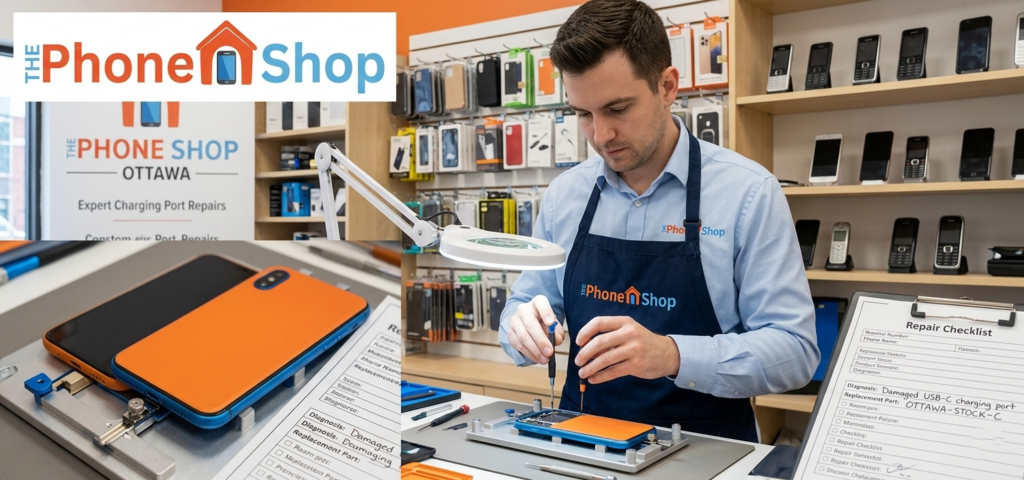
You plug in your phone, expecting it to charge—but nothing happens. No battery icon, no vibration, just silence. It’s a common issue faced by users across Ottawa, and it can disrupt your entire day.
If you’re dealing with this problem, don’t panic. Most charging issues can be fixed quickly with the right approach. In this guide, we’ll break down the top reasons your phone isn’t charging and provide simple, practical solutions using expert Mobile Phone Repairing insights.
Why Is Your Phone Not Charging? (Quick Answer)
Featured Snippet
If your phone is not charging, the most common causes include a faulty charging cable, dirt in the charging port, battery issues, or software glitches. Identifying the exact problem helps determine whether you need a quick fix or professional Phone Repairing Services.
1. Faulty Charging Cable or Adapter
One of the most common issues is a damaged cable or adapter. Over time, cables wear out, especially with frequent use.
Signs of a Faulty Charger
- Loose connection
- Charging only at certain angles
- Frayed or damaged cable
Quick Fix
- Try a different cable and adapter
- Use original or certified accessories
- Avoid cheap, low-quality chargers
Replacing a charger is often the simplest and most affordable solution.
2. Dirt or Debris in the Charging Port
Dust, lint, and dirt can block your phone’s charging port, preventing proper contact. This is especially common during winter months in Ottawa when pockets collect more debris.
How to Clean It Safely
- Turn off your phone
- Use a toothpick or soft brush
- Gently remove debris
- Avoid metal objects or liquids
A clean port ensures a stable charging connection and prevents long-term damage.
3. Battery Health Issues
Batteries degrade over time. If your phone is older, the battery may no longer hold a charge properly.
Warning Signs
- Battery drains quickly
- Phone shuts down unexpectedly
- Overheating while charging
Solution
- Replace the battery through Mobile phone repairing services
- Avoid overcharging your device
- Keep battery levels between 20% and 80%
Battery replacement is a common service offered by any Mobile phone repair shop ottawa.
4. Software or System Glitches
Sometimes, the issue isn’t hardware—it’s software.
Common Problems
- OS bugs
- App conflicts
- Failed updates
Fix
- Restart your phone
- Update to the latest software version
- Perform a factory reset (after backup)
Software-related issues are often overlooked but easy to fix.
5. Damaged Charging Port
If cleaning doesn’t help, your charging port may be physically damaged.
Causes
- Frequent plugging/unplugging
- Using force while inserting the cable
- Exposure to moisture
Fix
- Seek professional Phone Repairing Ottawa service
- Avoid DIY repairs to prevent further damage
Port replacement requires proper tools and expertise.
6. Water or Moisture Damage
Moisture can interfere with electrical connections inside your phone.
Signs
- Charging stops suddenly
- Warning messages about moisture
- Corrosion inside the port
Immediate Steps
- Turn off the device
- Let it dry completely
- Avoid charging until fully dry
If issues persist, consult best phone repairing service in Ottawa for inspection.
Step-by-Step Troubleshooting Checklist
Follow this simple checklist before seeking professional help:
- Try a different charger
- Clean the charging port
- Restart your device
- Check for software updates
- Test with another power outlet
If none of these steps work, your device likely needs expert attention.
Cost-Saving Tips for Charging Issues
Fixing charging problems early can save money.
Smart Tips
- Avoid cheap charging accessories
- Don’t ignore minor charging delays
- Use surge protectors
- Schedule regular maintenance
Early action prevents costly repairs or full device replacement.
Common Mistakes to Avoid
- Using damaged cables
- Ignoring overheating issues
- Charging in extreme temperatures
- Attempting DIY internal repairs
These mistakes can worsen the problem and increase repair costs.
When to Call a Professional in Ottawa
If your phone still doesn’t charge after basic troubleshooting, it’s time to consult experts.
Professional technicians can diagnose deeper issues like motherboard faults or internal damage. Trusted providers like The Phone Shop offer reliable diagnostics and repair solutions.
For quick assistance, you can explore their services here: The Phone Shop
Their team ensures safe, efficient repairs using quality parts and proven methods.
Why Choose Professional Mobile Repair Services
Choosing professional Mobile Phone Repairing services offers several advantages:
- Accurate diagnosis
- Safe repair process
- Warranty protection
- Faster turnaround
This is why many residents trust Mobile phone repairing services instead of attempting risky DIY fixes.
Final Thoughts
Charging issues are one of the most common smartphone problems, but they are often easy to diagnose and fix. Whether it’s a faulty cable, dirty port, or battery issue, taking quick action can prevent bigger problems.
For users in Ottawa, reliable Mobile Phone Repairing services make it easy to restore your device without hassle. If troubleshooting doesn’t solve the issue, experts at The Phone Shop can provide fast, safe, and effective repair solutions.
Taking care of your phone today ensures it stays reliable, efficient, and ready for your daily needs.
FAQs
Why is my phone charging slowly?
Slow charging is often caused by a weak adapter, damaged cable, or background apps consuming power. Using a certified charger and closing unused apps can improve charging speed. If the issue continues, a technician may need to check the battery or charging port.
Can a damaged charging port be fixed?
Yes, charging ports can be repaired or replaced by professionals. Attempting DIY repairs may damage internal components. It’s best to visit a trusted Mobile phone repair shop ottawa for safe and reliable service.
Is it safe to use third-party chargers?
Not all third-party chargers are unsafe, but low-quality ones can damage your battery and charging system. Always use certified accessories to avoid long-term issues.
How do I know if my battery needs replacement?
If your phone drains quickly, overheats, or shuts down unexpectedly, the battery may be failing. Professional Mobile phone repairing services can confirm and replace it safely.
Can software updates fix charging issues?
Yes, software updates can resolve bugs affecting charging performance. However, if the issue is hardware-related, updates won’t fix it.
What should I do if my phone gets wet?
Turn off the device immediately and avoid charging it. Let it dry completely before use. If problems persist, seek professional repair services to prevent further damage.